
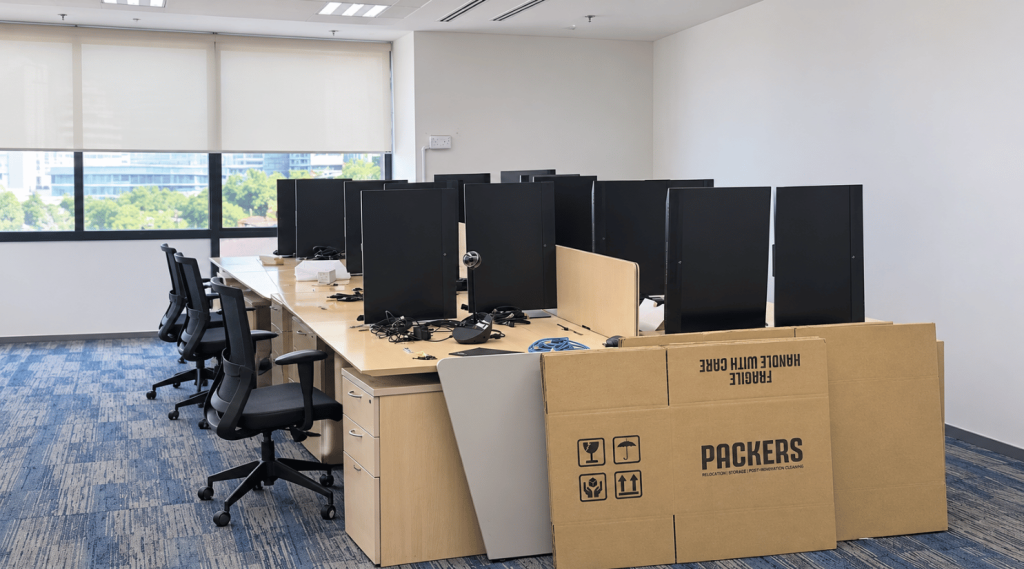
Your IT equipment is the part of your office you cannot afford to lose. A cracked monitor is an annoyance. A damaged server or a lost hard drive can mean days of downtime, missing customer records and a very difficult conversation with management.
The good news is that IT equipment relocation is predictable when it is planned properly. This guide explains how to prepare computers and servers, who should do what, how equipment is packed and moved, and how to protect your data along the way. It also shows how Packers Xpress handles computers and electronics during office moves across Kuala Lumpur, Selangor and the Klang Valley.
What is IT equipment relocation?
IT equipment relocation is the planned move of computers, monitors, printers, servers, network devices and other electronics from one office to another. It combines technical preparation by your IT team, such as backup, shutdown and cable labelling, with careful physical packing, transport and placement by professional movers.
Most problems in an IT move do not happen on the road. They happen because nobody backed up the server, nobody labelled the cables or nobody knew which desk a computer belonged to. A clear split of responsibilities solves all three.
How are servers and computers moved safely during an office relocation?
Servers and computers are moved safely in four stages. First, your IT team backs up all data and shuts equipment down properly. Second, every cable and device is labelled. Third, movers pack each item in protective materials and transport it carefully. Fourth, equipment is placed at the correct workstation for your IT team to reconnect and test.
Stage 1: Back up and shut down
- Make a full backup of servers, shared drives and critical computers.
- Keep at least one backup copy away from the equipment being moved.
- Shut down servers, network switches and workstations properly, never by pulling the plug.
Stage 2: Label everything
- Label each computer, monitor and printer with its department and new workstation number.
- Label every cable at both ends and bag cables with the device they belong to.
- Photograph server racks, network cabinets and desk setups before anything is disconnected.
Stage 3: Pack and move
- Pack each device in bubble wrap, padding and sturdy boxes.
- Keep heavy items low and fragile screens upright and well cushioned.
- Load IT equipment carefully and keep it together during transport.
Stage 4: Place, reconnect and test
- Place each item at its labelled workstation following the new floor plan.
- Your IT team reconnects, powers up and tests servers first, then the network, then workstations.
- Confirm internet, phones, printers and shared drives work before staff arrive.
Who does what in an IT equipment move?
Your IT team or IT vendor handles the technical work: data backup, shutdown, disconnection, reconnection and testing. Your movers handle the physical work: packing, labelling by destination, loading, transport and placement at the new office. Agreeing this split before moving day prevents gaps, delays and finger pointing.
| Task | Your IT team or IT vendor | Packers Xpress |
|---|---|---|
| Data backup | ✓ | |
| Proper shutdown and disconnection | ✓ | |
| Cable labelling and photos | ✓ | |
| Internet line transfer with telco | ✓ | |
| Packing computers, monitors, printers and electronics | ✓ | |
| Labelling packed items by department and workstation | ✓ | |
| Loading and transport | ✓ | |
| Placement at the new workstation | ✓ | |
| Reconnection and testing | ✓ |
Packers Xpress packs computers and electronics with industry standard packing materials, so your hardware arrives in the same condition it left.
How should different IT equipment be packed?
Each type of IT equipment needs its own protection. Monitors and laptops need padding and upright packing. Desktop towers should travel upright and cushioned. Printers need loose parts removed and secured. Servers and network devices should be handled with extra care and kept together with their labelled cables.
- Monitors and screens: wrap in bubble wrap, protect the screen face and keep upright.
- Laptops: pack in padded bags or boxes with chargers bagged and labelled.
- Desktop towers: cushion on all sides and keep upright.
- Printers and copiers: remove loose trays and cartridges where your IT team advises, then pad and secure.
- Servers and network devices: pack with padding, keep labelled cables together and move them as one group.
- Keyboards, mice and accessories: bag and label by workstation so nothing goes missing.
Packers Xpress supplies the boxes, bubble wrap and padding needed. See our moving packing supplies for details.
How do you protect company data during an IT move?
Protect data by backing it up before the move, keeping one copy off site, packing drives and confidential files in sealed, labelled boxes, and naming one person to supervise sensitive items. Wipe or remove storage drives from any device you plan to dispose of. Your obligations under Malaysian data protection law still apply during a move.
Computers, hard drives and filing cabinets often hold customer and employee personal data. Under the Personal Data Protection Act 2010, businesses that process personal data in commercial transactions must keep it secure. Official guidance is available from the Department of Personal Data Protection. Build data security into your move plan from the start, not as an afterthought.
What should you do with old IT equipment before moving?
An office move is the right time to retire old computers, printers and monitors instead of paying to move them. Wipe or remove storage drives first. In Malaysia, e-waste is classified as scheduled waste under code SW110, so it should go to a licensed collector rather than general rubbish.
The Department of Environment Malaysia sets out the rules for e-waste under the Environmental Quality (Scheduled Wastes) Regulations 2005. If you have surplus equipment you want to keep for later, Packers Xpress offers secure storage space with no minimum contract.
How do you keep IT downtime to a minimum?
Schedule the move after office hours, prepare IT equipment days in advance, and plan the reconnection order before moving day. Packers Xpress offers after hours office moves, so equipment can be packed after your team leaves and placed at the new office before they return. Test everything before staff log in.
Quick tips for less downtime:
- Arrange internet line transfer with your telco early so the new office is online on day one.
- Move servers and network equipment first so they can be set up while workstations arrive.
- Keep a short list of critical systems your IT team must test before opening.
Why choose Packers Xpress for IT equipment relocation in Malaysia?
Packers Xpress has completed 1,000+ moves and holds a 4.8 Google rating. The team handles computers, electronics and fragile items with industry standard packing materials, labels equipment by workstation, moves offices after hours and provides secure storage. Every move starts with a quotation based on your actual inventory, with no hidden fees.
Learn more about our IT equipment relocation as part of our office moving service. Planning the wider move? Read our corporate relocation services timeline and our guide to choosing corporate movers in Malaysia. You can also see how quotations work on our pricing page.
Frequently asked questions
Can Packers Xpress move computers and servers?
Yes. Packers Xpress packs, transports and places computers, monitors, printers, servers and other electronics with protective materials. Your IT team handles backup, shutdown, reconnection and testing.
Do Packers Xpress reconnect IT equipment after the move?
Packers Xpress places each item at its labelled workstation. Reconnection and testing should be done by your IT team or IT vendor.
Should we back up our data before an office move?
Yes. Always make a full backup before any IT equipment is shut down, and keep one copy away from the equipment being moved.
Can IT equipment be moved after office hours?
Yes. Packers Xpress offers after hours office moves so your team loses as little working time as possible.
What should we do with old computers before the move?
Wipe or remove the storage drives, then send the equipment to a licensed e-waste collector. In Malaysia, e-waste is classified as scheduled waste under code SW110.
Move your IT equipment with confidence
Your servers and computers keep your business running, so they deserve a proper plan. With your IT team handling the technical side and Packers Xpress handling the packing and moving, your office can be back online quickly at the new address.
Get a free quote on WhatsApp, email sales@packersxpress.com or visit our contact page to plan your IT equipment relocation.
Before relocating, check out our House Movers Costs in Malaysia that includes pricing and moving guide for practical packing and moving tips.
Our Location: 5C, No 17, Level 2, Jln PJU 10/18, Damansara Damai, 47830 Petaling Jaya, Selangor
Phone: +60177676001
Email: sales@packersxpress.com
Follow us on Facebook, Instagram, & Tiktok for more exciting content & tips for moving!
